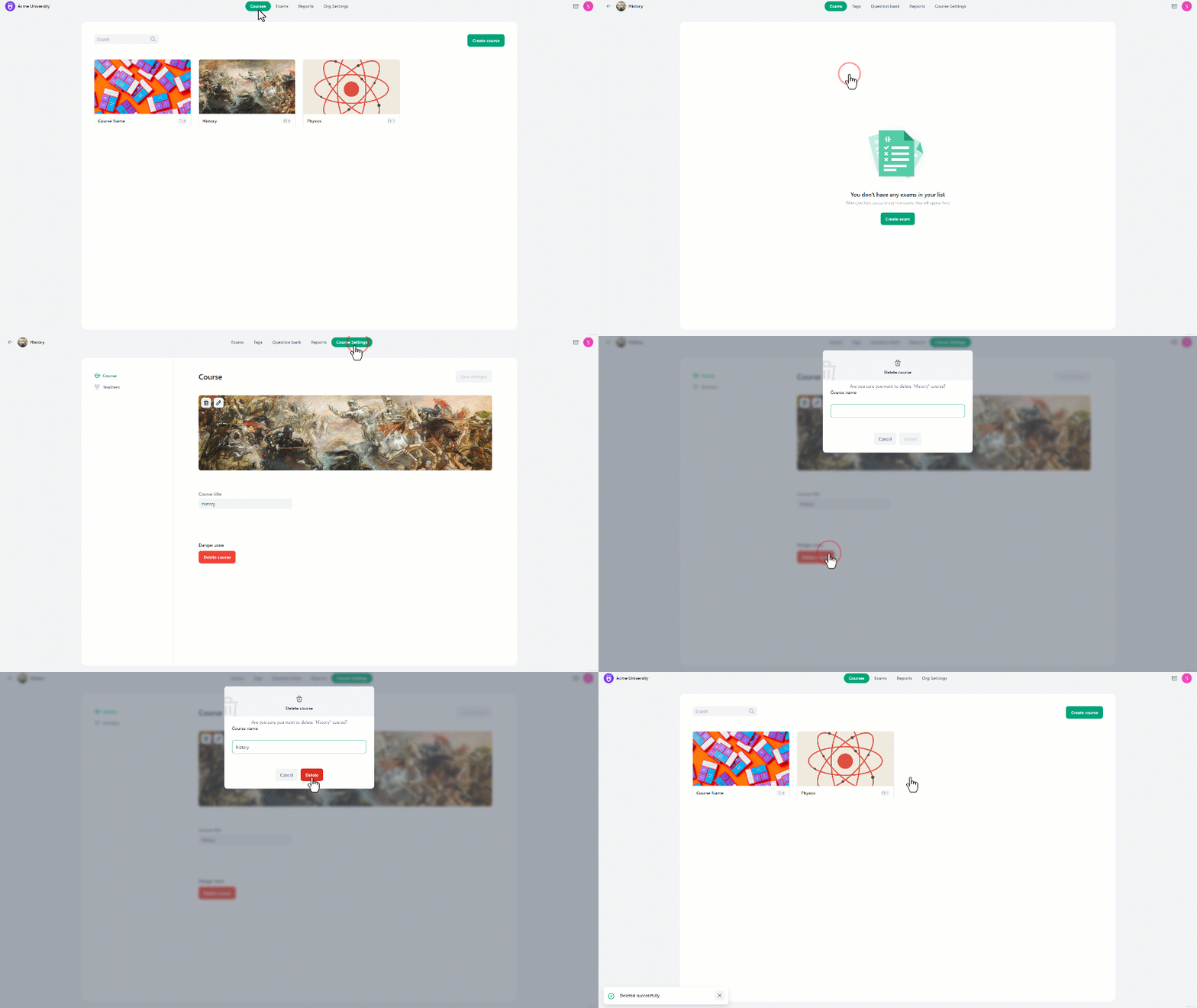

- Go to the **courses page **and navigate to the desired course.
- Click on “Course Settings” at the top center of the screen.
- You can delete the course by clicking on the “Delete Course” button at the bottom.
- **A security question **will appear, asking you to **confirm the deletion **by entering the course name.
- Once confirmed, the course and all exams assigned to it will be deleted.