
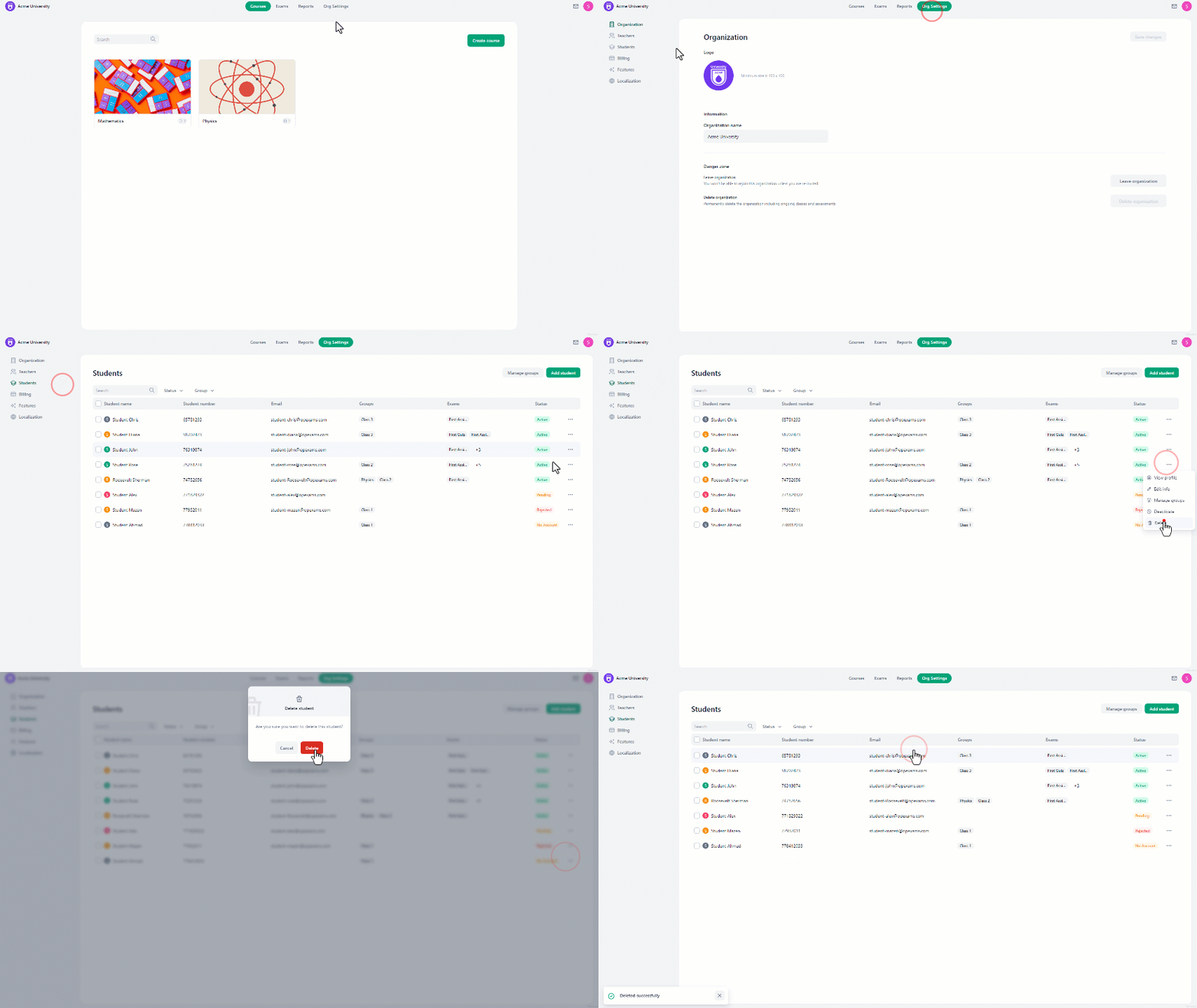
To delete a student’s account:
- From the home page, navigate to the “Organization Settings”.
- On the left side of the screen, click on “Students”.
- There, click on the **three-dot icon aligned with the **student’s name you want to delete.
- In the drop-down menu, select “Delete”.
- A confirmation message will pop up, select “Delete” to finalize the process.
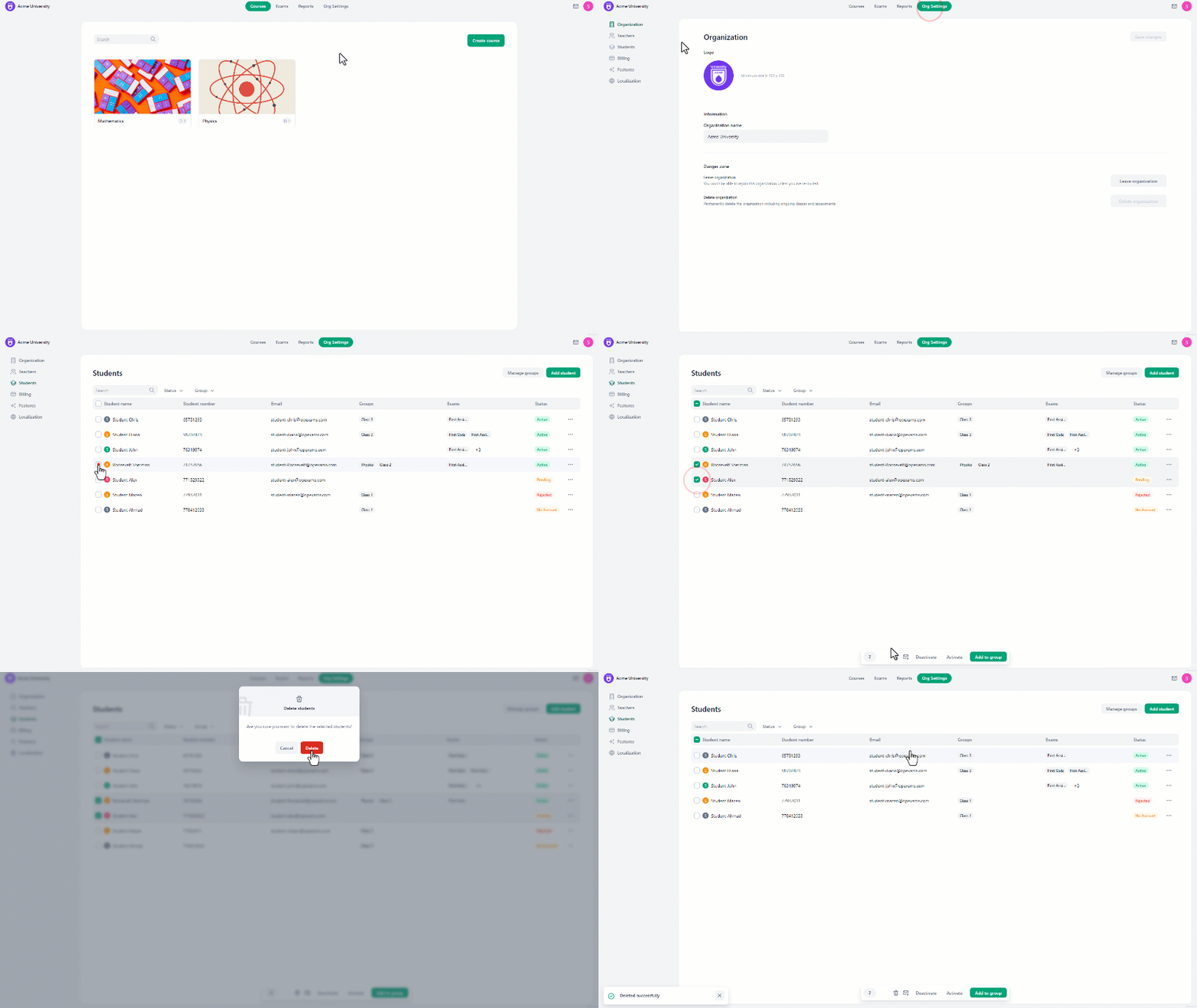
To delete multiple students’ accounts:
- From the home page, navigate to the “Organization Settings”.
- On the left side of the screen, click on “Students”.
- **Select the students **you want to delete.
- At the bottom of the screen, click on the delete icon.
- A confirmation message will pop up, select “Delete” to complete the process.