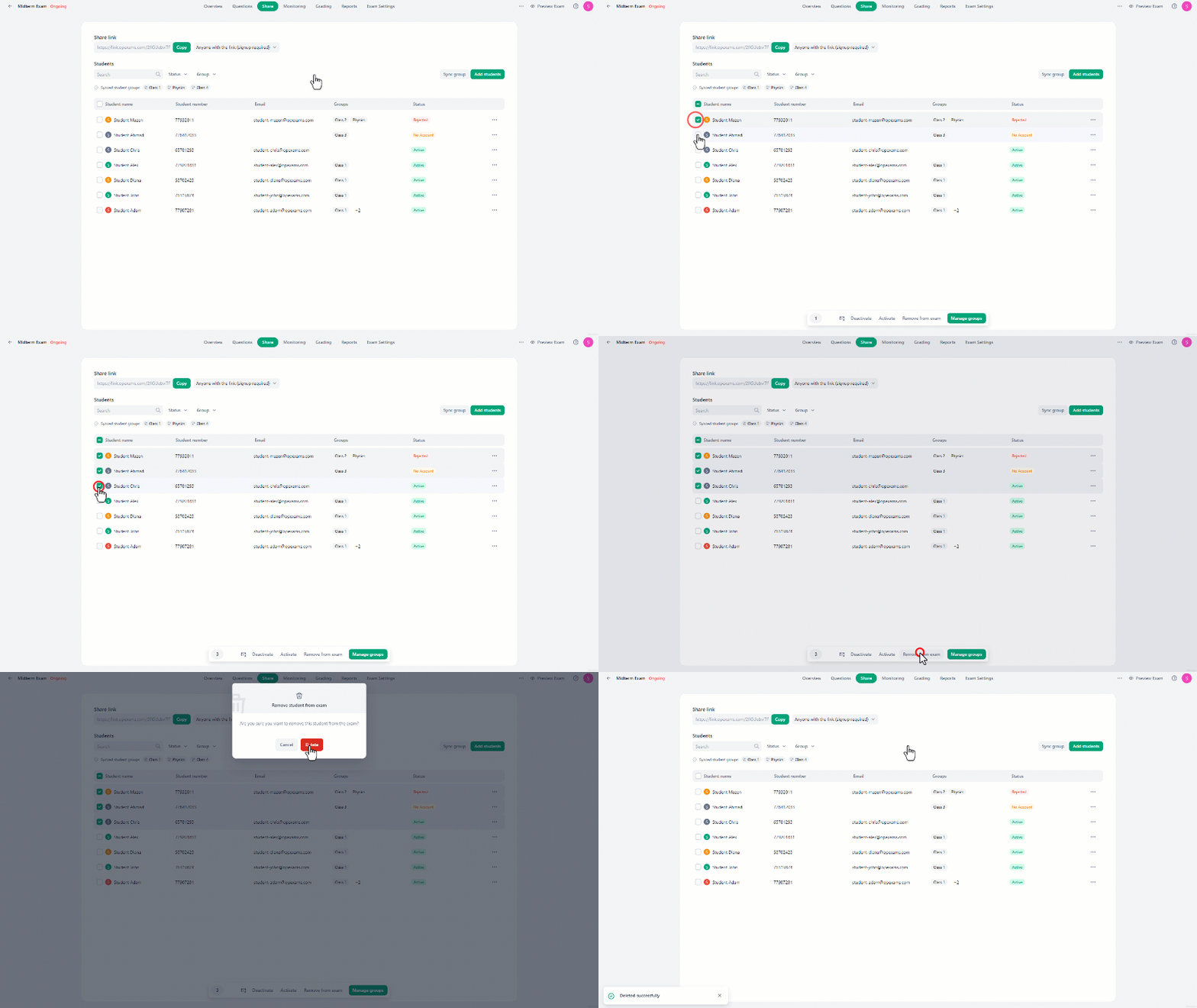

Adding Students to Exam:
In Share, there are three ways to add students to the exam:- **Manually:**In the Add Students menu, you can add students by clicking the checkbox next to their names and then “Add students”.If you have many students, you can quickly find them using the search bar by typing their name or email.You can also filter students by their account status or groups.
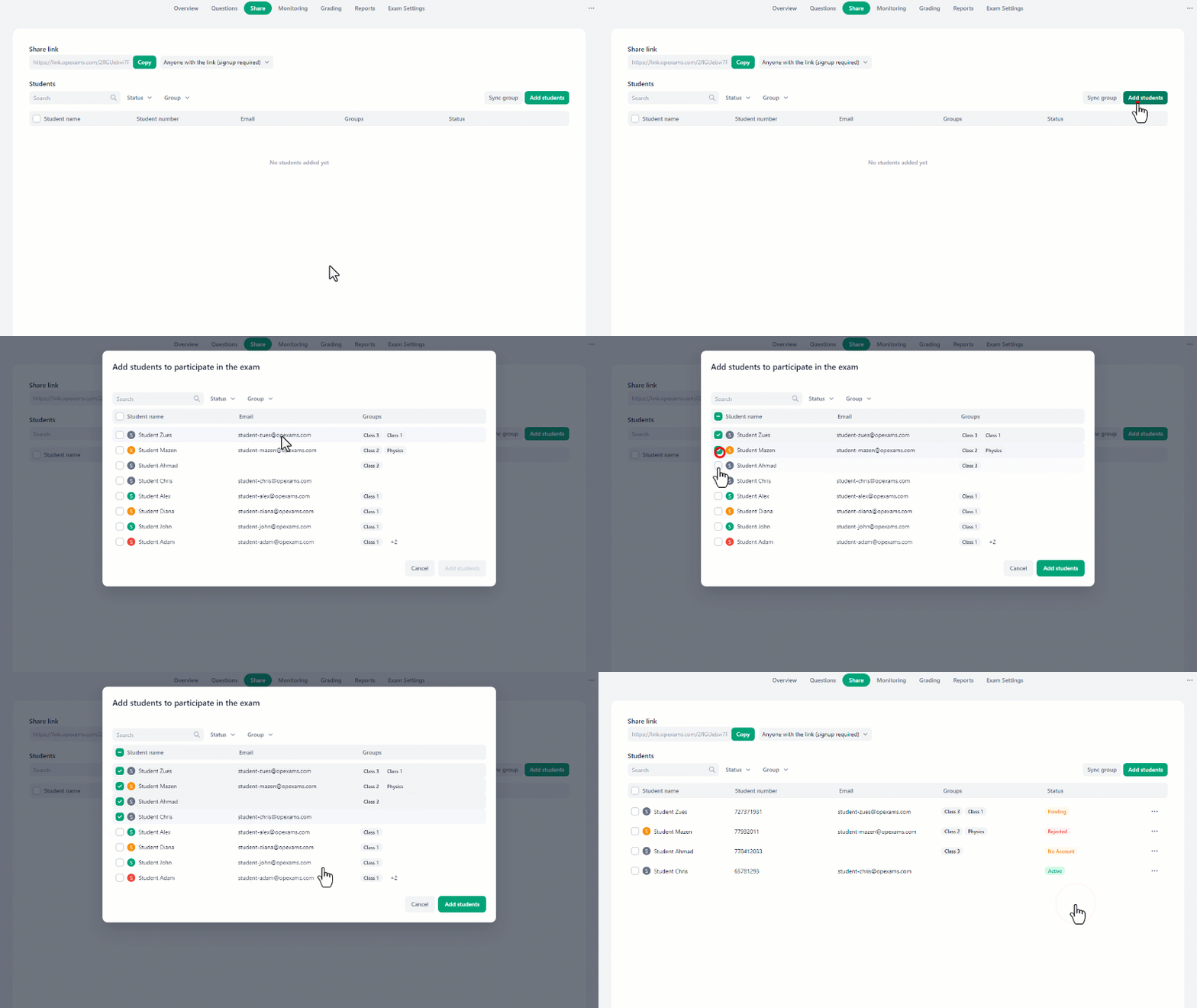
- **Synchronizing group: **You can add students by choosing a group and syncing it to include all group members.In the Sync Group menu, select the groups then click “Save” to sync the groups.You can create a new group by clicking “Create new student group” and then naming it. Any students added to this group from the Students tab will automatically join this exam.
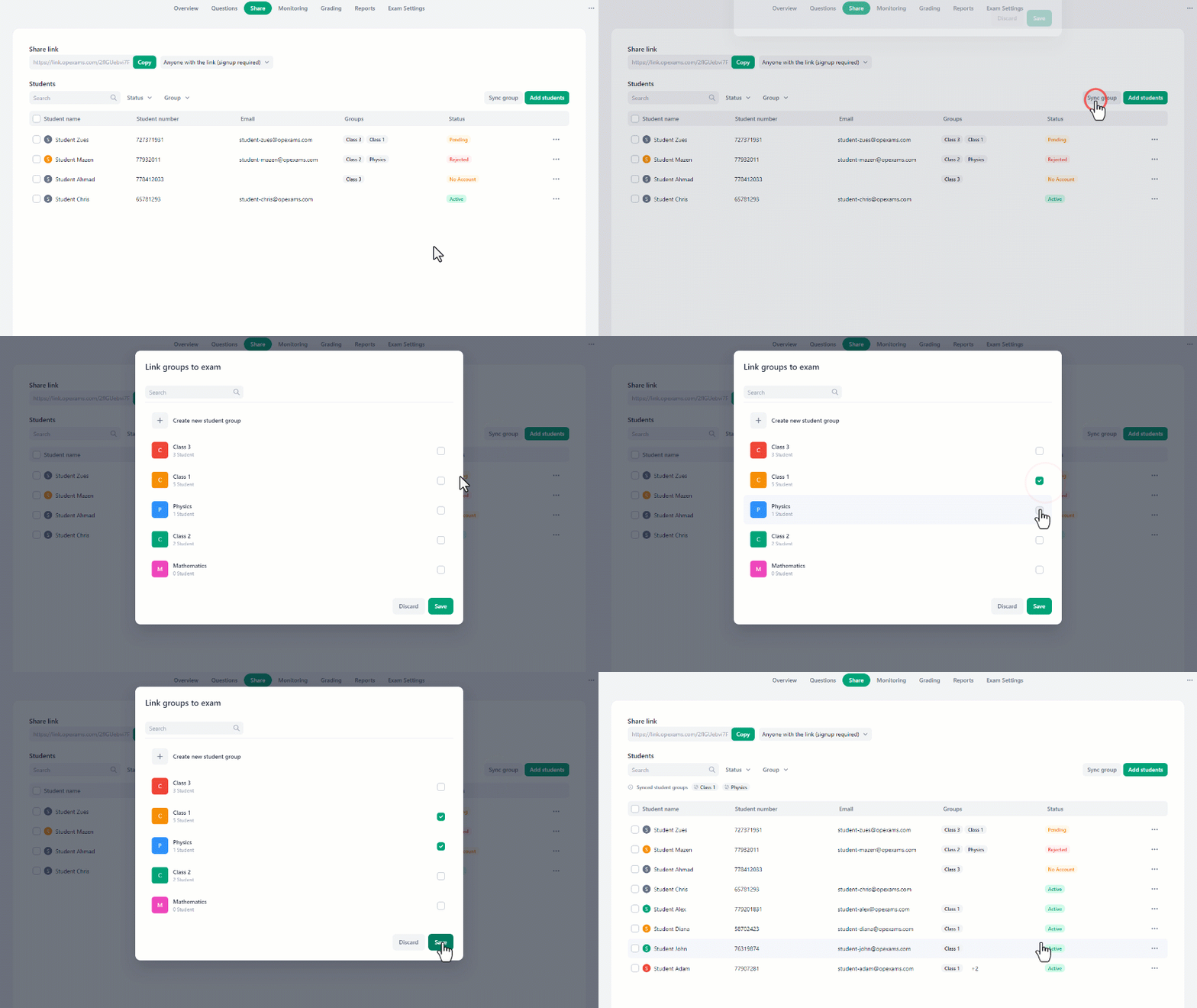
Removing Students From Exams:
Single student:
- Click on the three-dot icon next to the student’s name.
- Choose “Remove from exam” in the drop-down menu.
- A confirmation message will appear. Select “Delete” to remove the student from the exam.
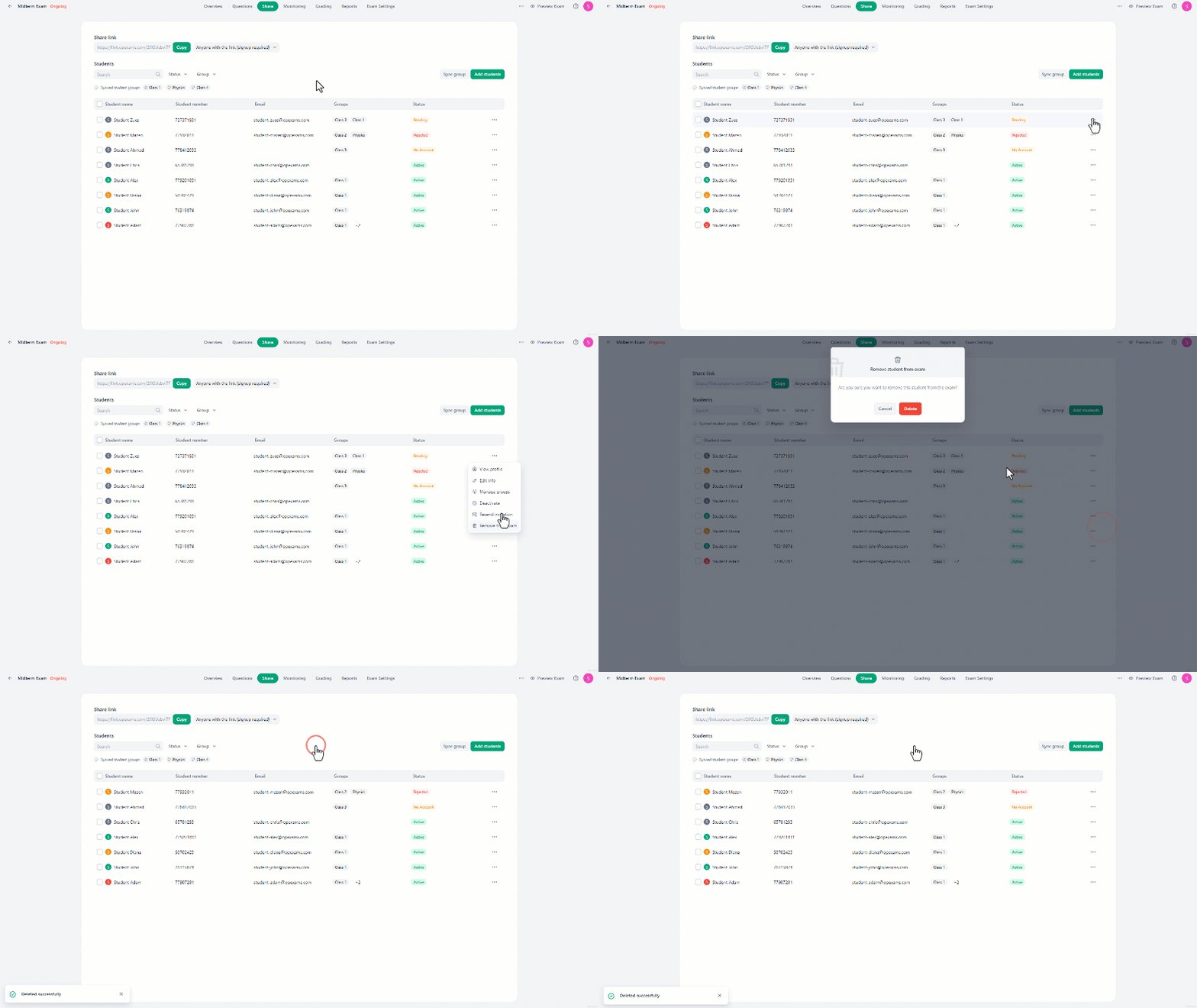
Multiple students:
- Select the students by clicking on the checkbox next to their names.
- At the bottom of the screen, click on the “Remove from exam” button.
- Select “Delete” in the alert message to remove the students from the exam.