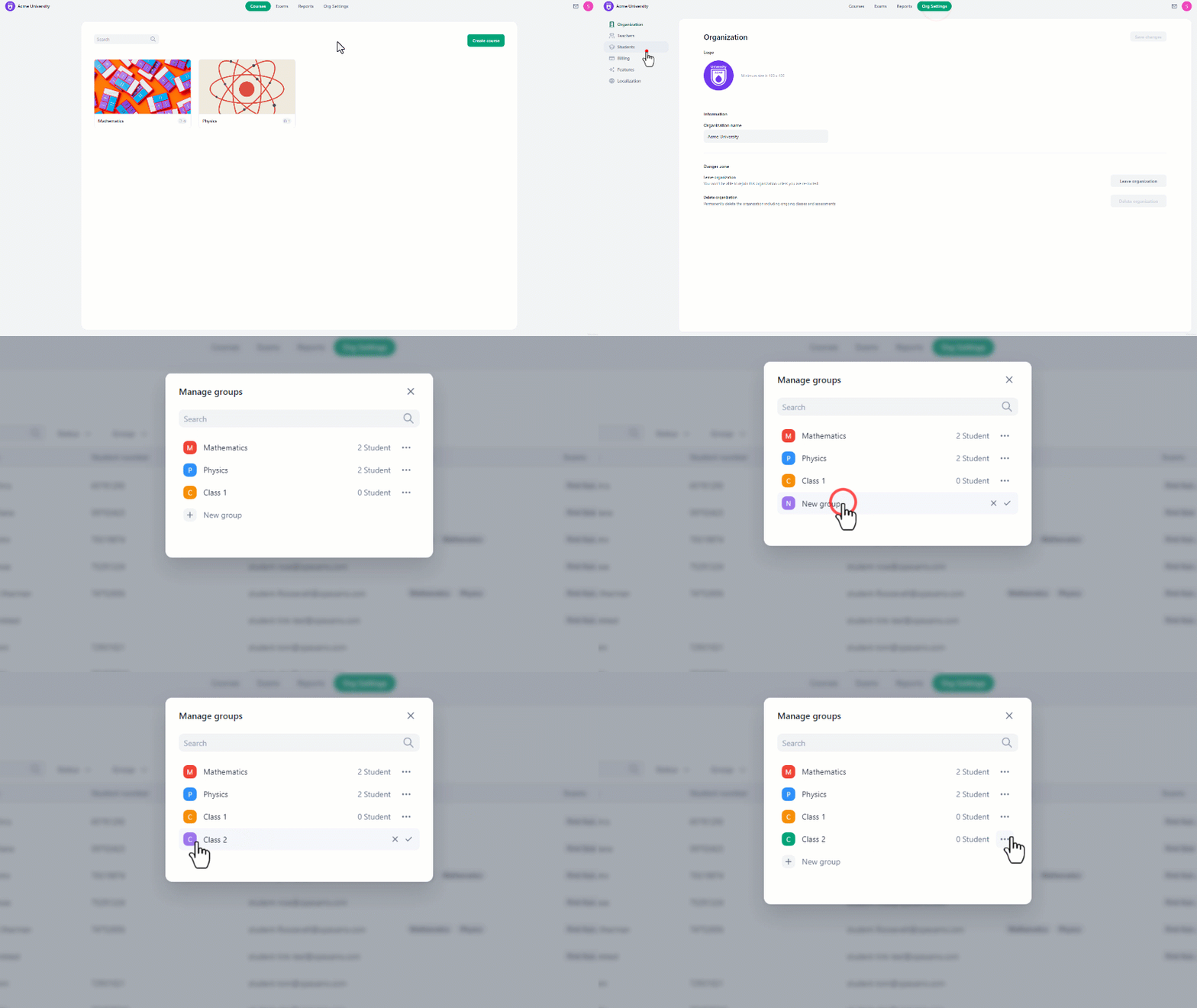

- Navigate to **organization settings **from the home page.
- Select “Students” from the left side of the screen.
- From there, select “Manage Groups”.
- Click on the “New Group” button.
- Enter a name for the group and then click on the “Checkmark” to complete creating the group.