
Exam Status:
You can check the status of the exam from the top right of the screen.All statuses available are:- Draft: This means the exam hasn’t been scheduled or started yet, and it’s still in the editing phase.
- **Ongoing: **This shows that the exam is currently in progress and being taken by candidates.
- **Finished: **This means that the exam has been completed by all candidates and is no longer accessible.
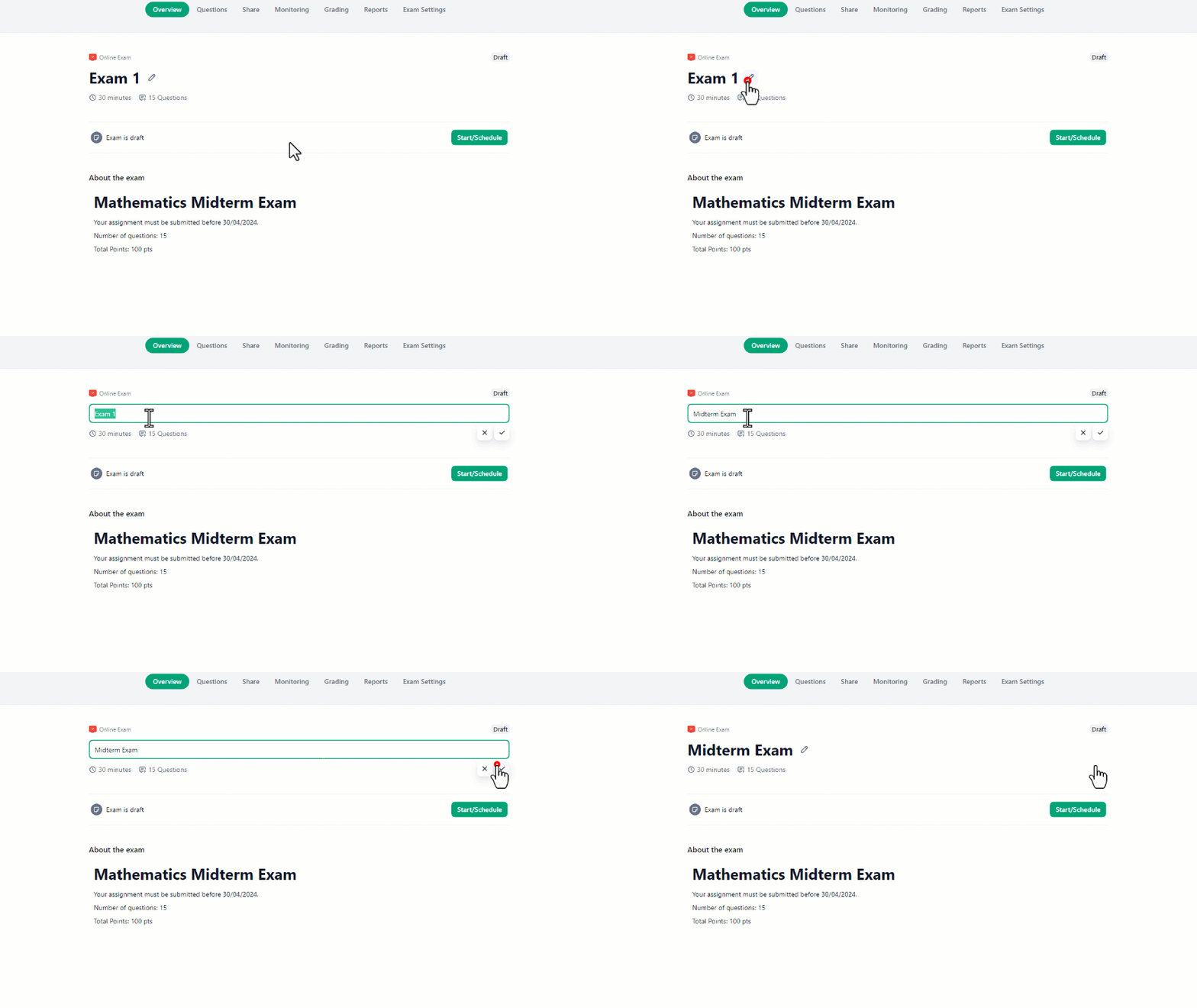
To edit the exam’s name:
- Click on the **pencil icon **next to the exam name.
- Then start editing the name as needed.
- Finally, click on the check icon to save your changes.
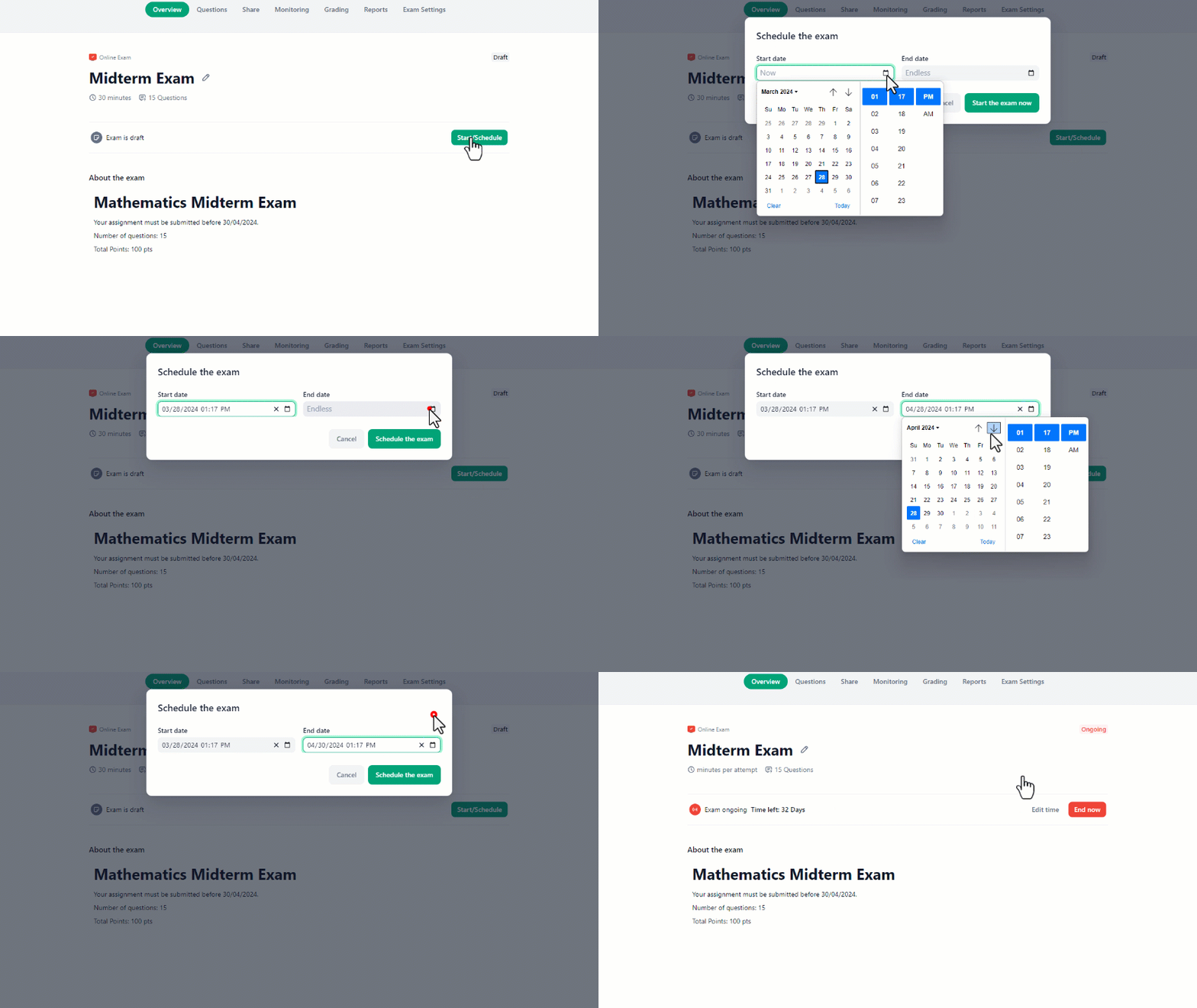
To schedule the exam:
- Click on the “Start/Schedule” button.
- Then, fill out the date and time for the start and end date of the exam.
- Finally, click on “Schedule the exam” to set up the exam.
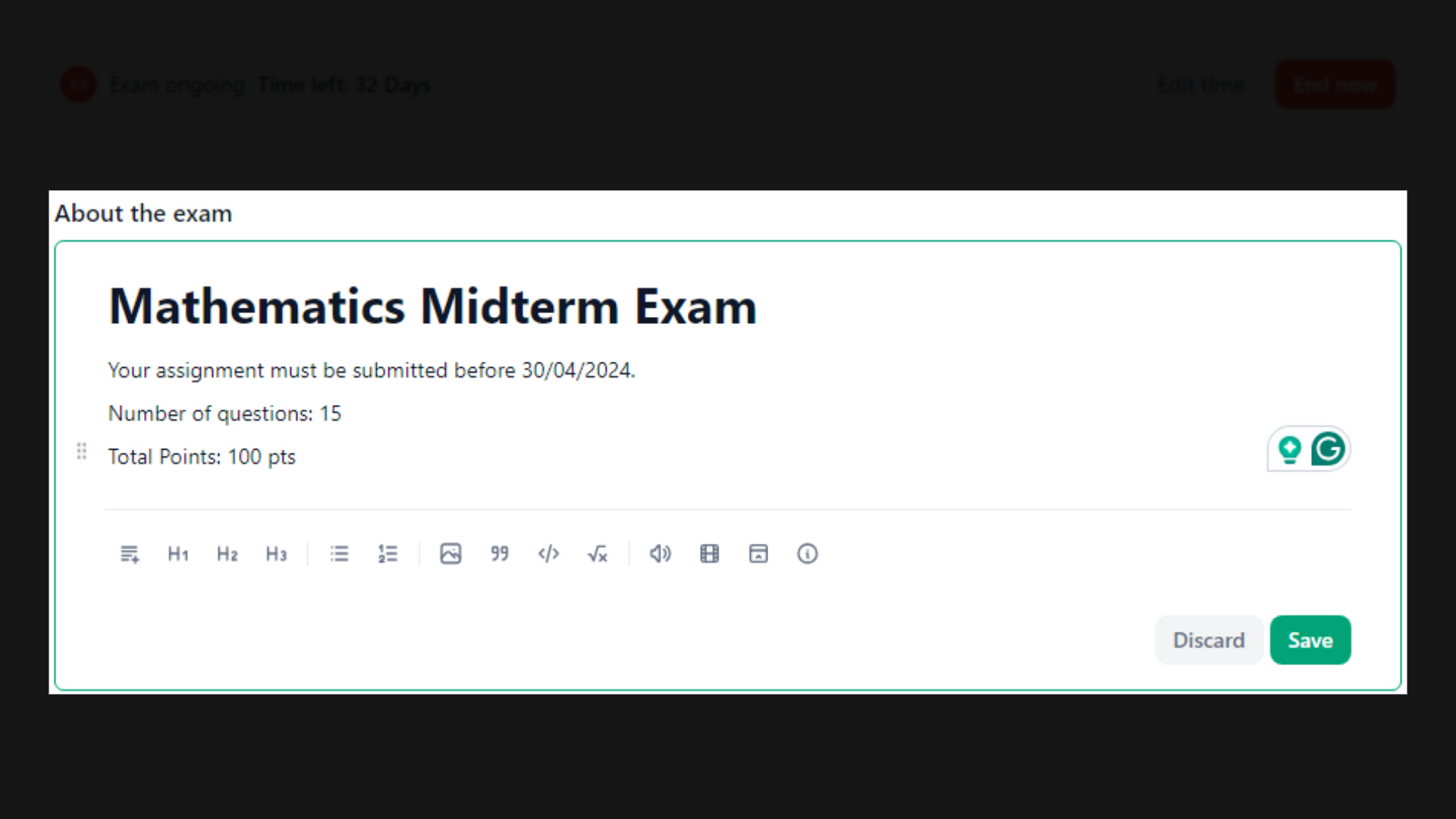
 In the “About the Exam” section, you can give a detailed description and specify the passing score and any additional requirements or instructions that can help the students have an idea of what to expect.