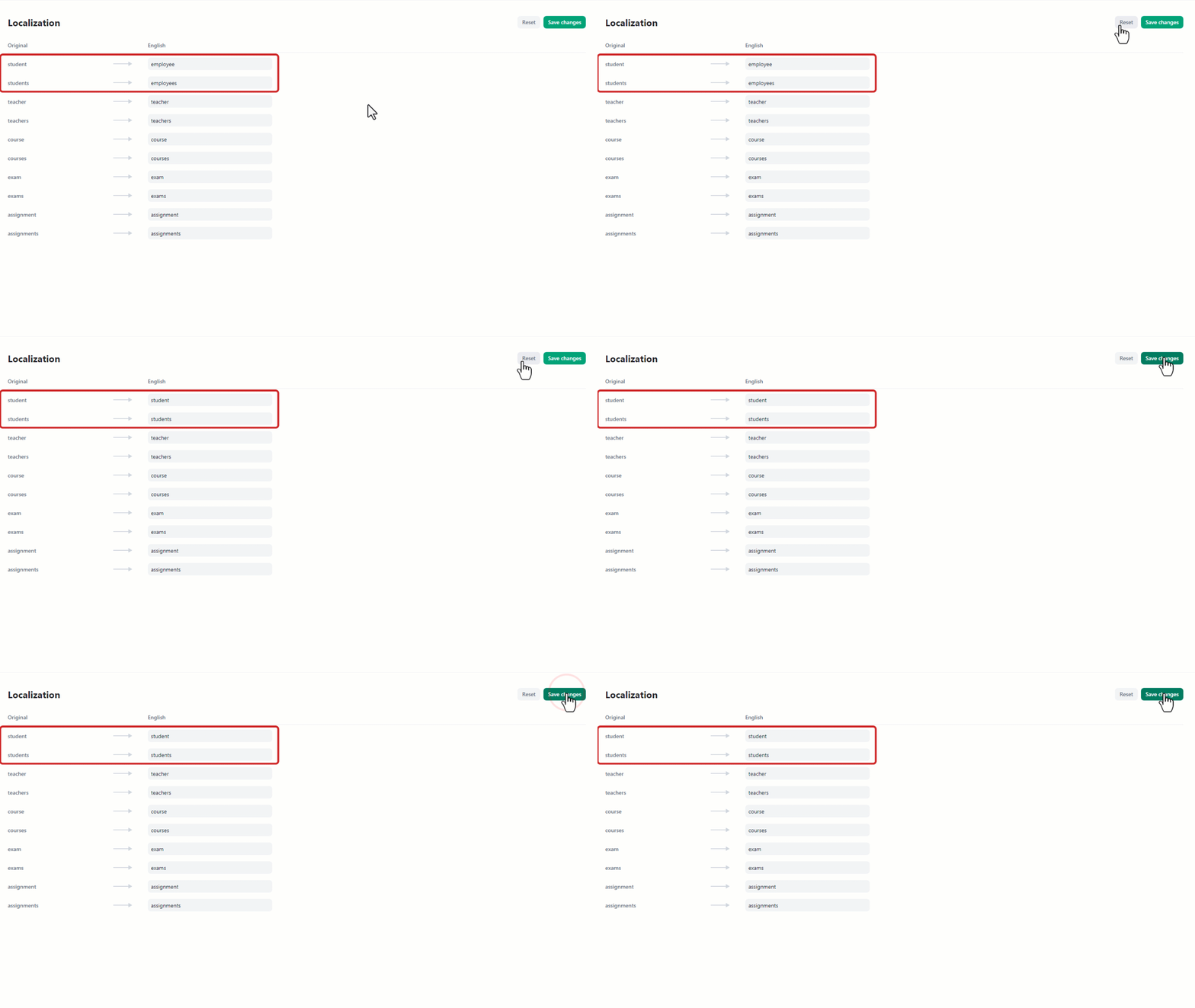

- Navigate to the “org settings”** **from the home page.
- On the left side of the screen, select “Localization”.
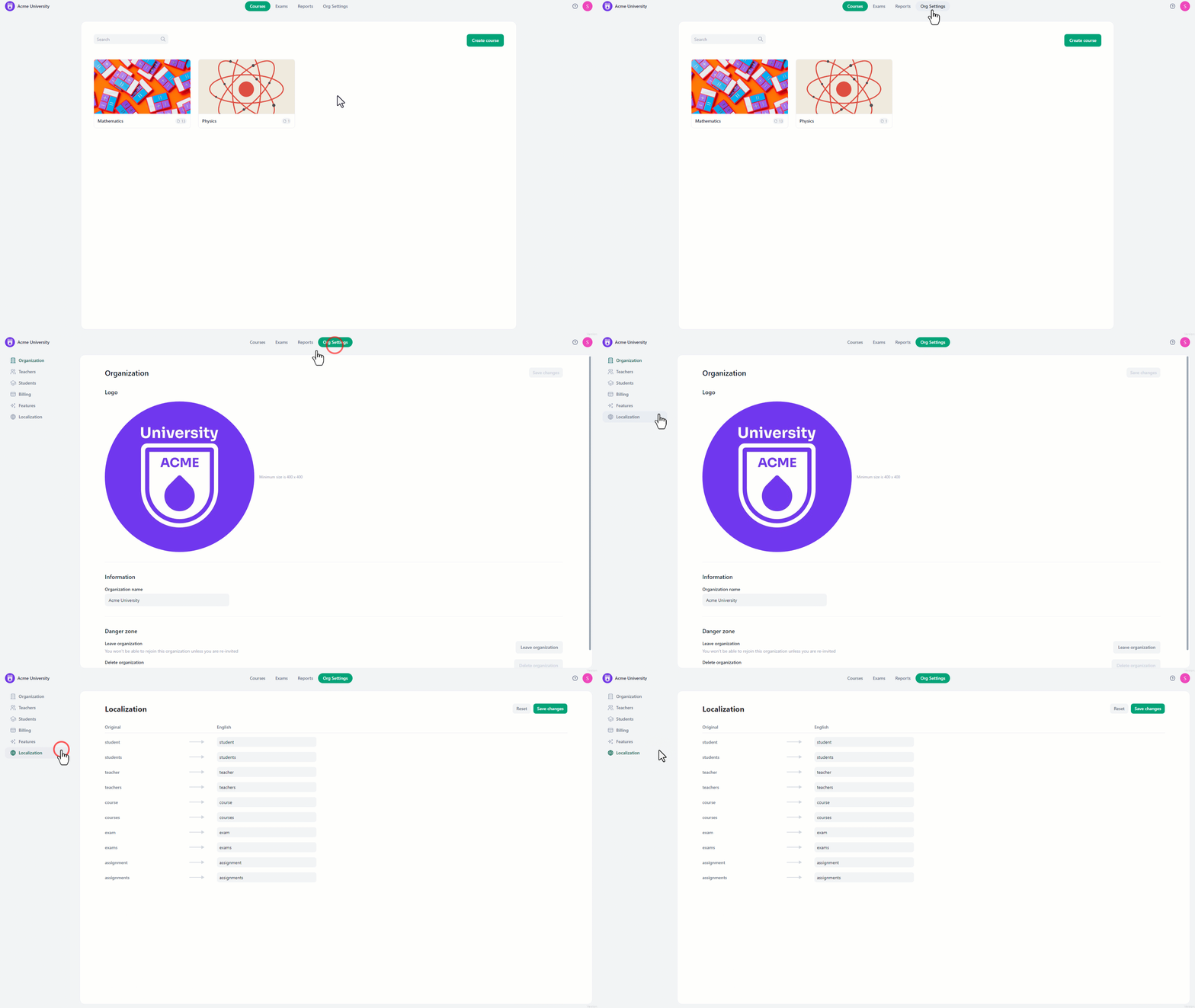 To amend the system’s keywords:
- Click on the textbox next to the keyword you want to amend.
- Write the name to replace the original one.
- Click “Save changes” to finalize the changes.
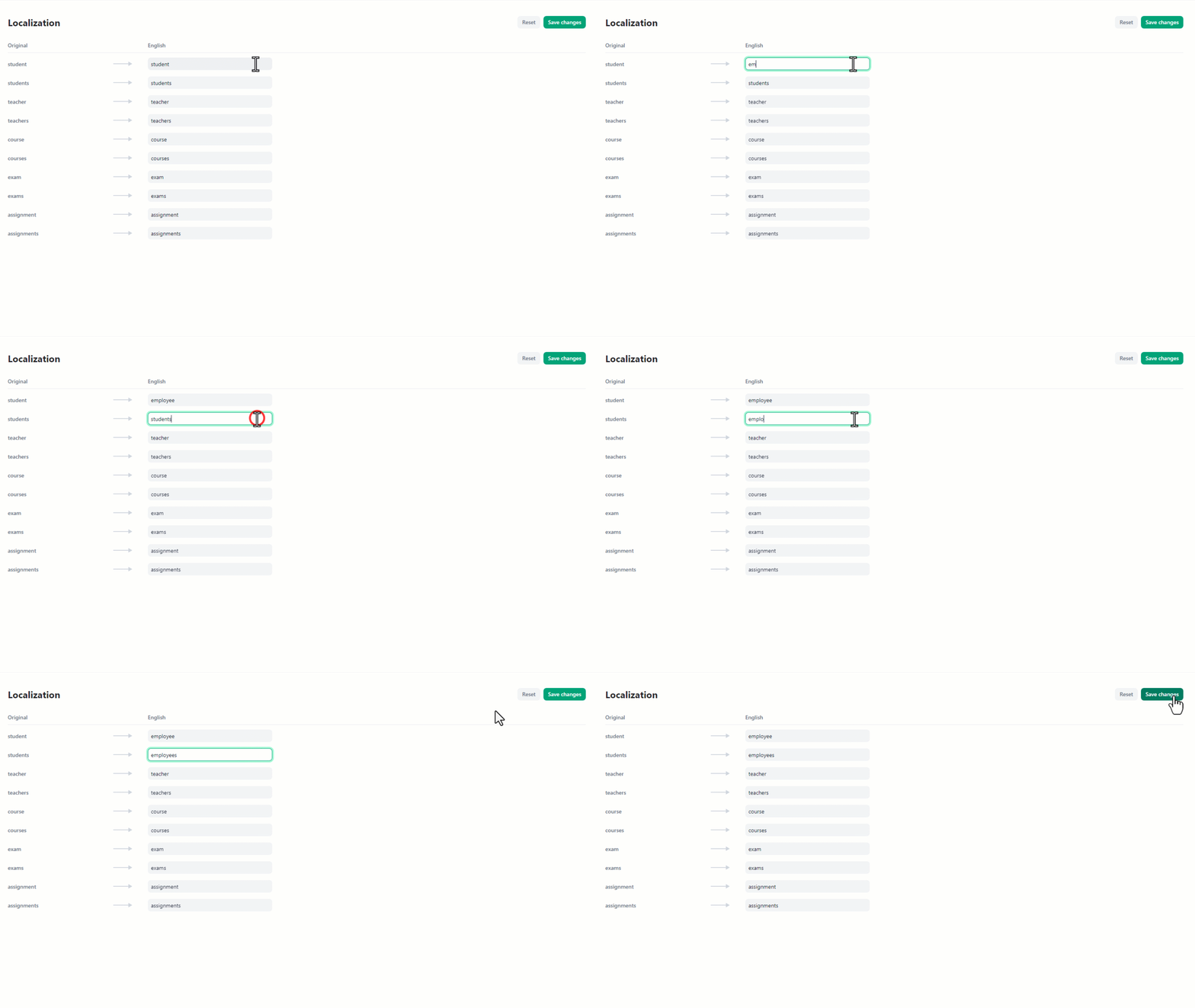 To undo any modifications and return to the original naming:
- Click the “reset” button located at the top right.
- After that, click “Save changes” to confirm the reset.