
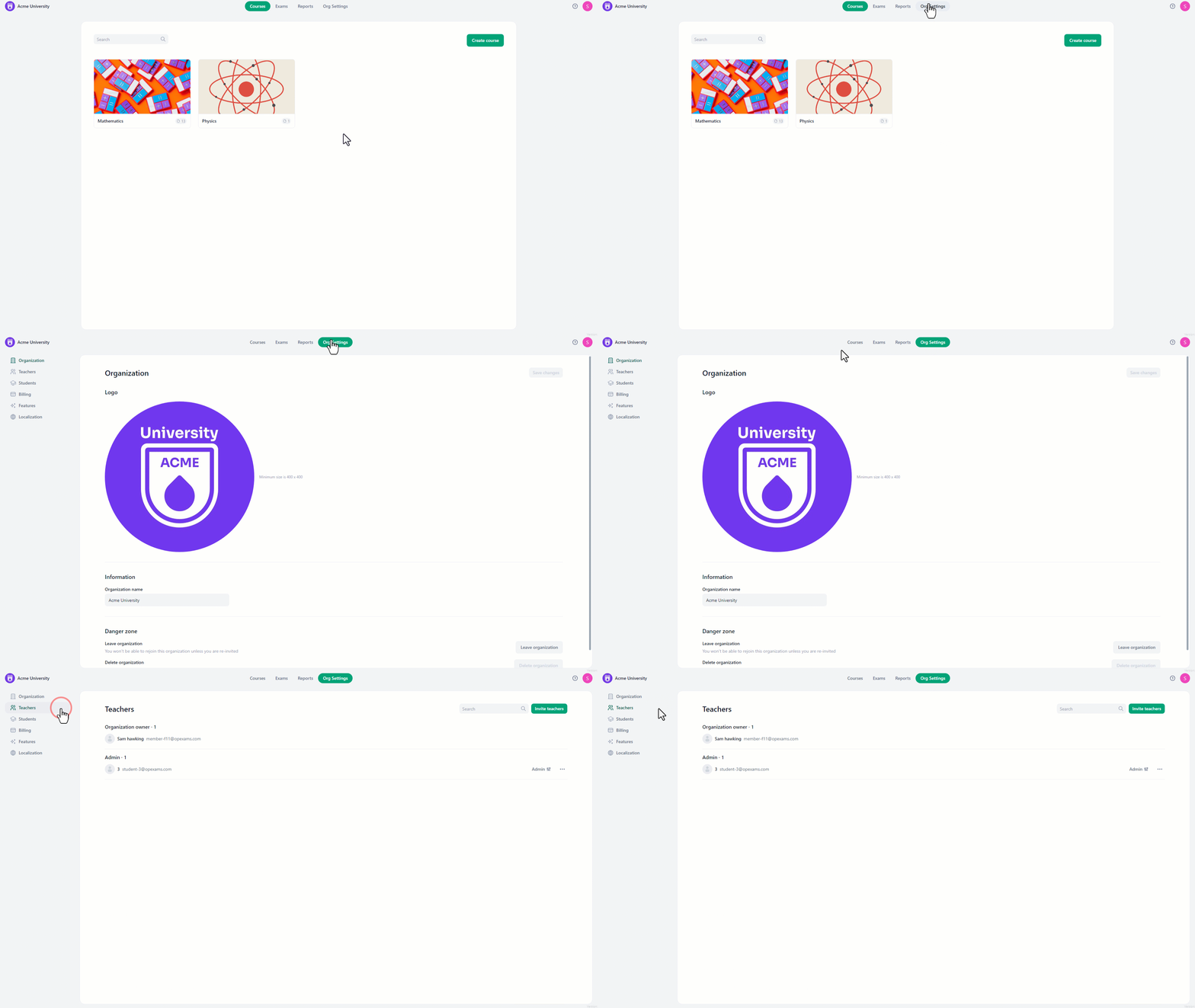
- Navigate to the “org settings” from the home page.
- On the left side of the screen, select “Teachers”.
Roles:
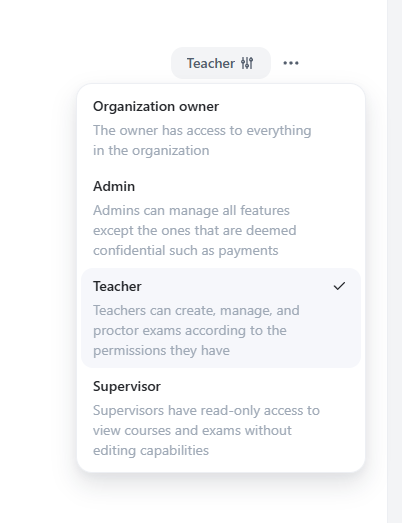
There are four distinct roles available for assigned teachers, each with different levels of access limitations and different capabilities. The roles are:- Organization Owner: This role grants complete administrative authority over the organization.
- Admin: This role enables access to all courses and exams, alongside managing students, teachers, admins, and other administrative tasks within the organization.
- Teacher: This role allows the creation and modification of courses and exams, as well as managing any course they are given access to.
- Supervisor: This role provides read-only access to view courses, exams, and reports. Supervisors can review available pages and reports but cannot create, modify, or operate exam content.
 Note: For members with the Teacher or Supervisor role, they must be added to individual courses separately to gain access to those courses. Adding them to the organization does not automatically grant them access to courses. Organization Owners and Admins have automatic access to all courses.
To add a new teacher:
Note: For members with the Teacher or Supervisor role, they must be added to individual courses separately to gain access to those courses. Adding them to the organization does not automatically grant them access to courses. Organization Owners and Admins have automatic access to all courses.
To add a new teacher:
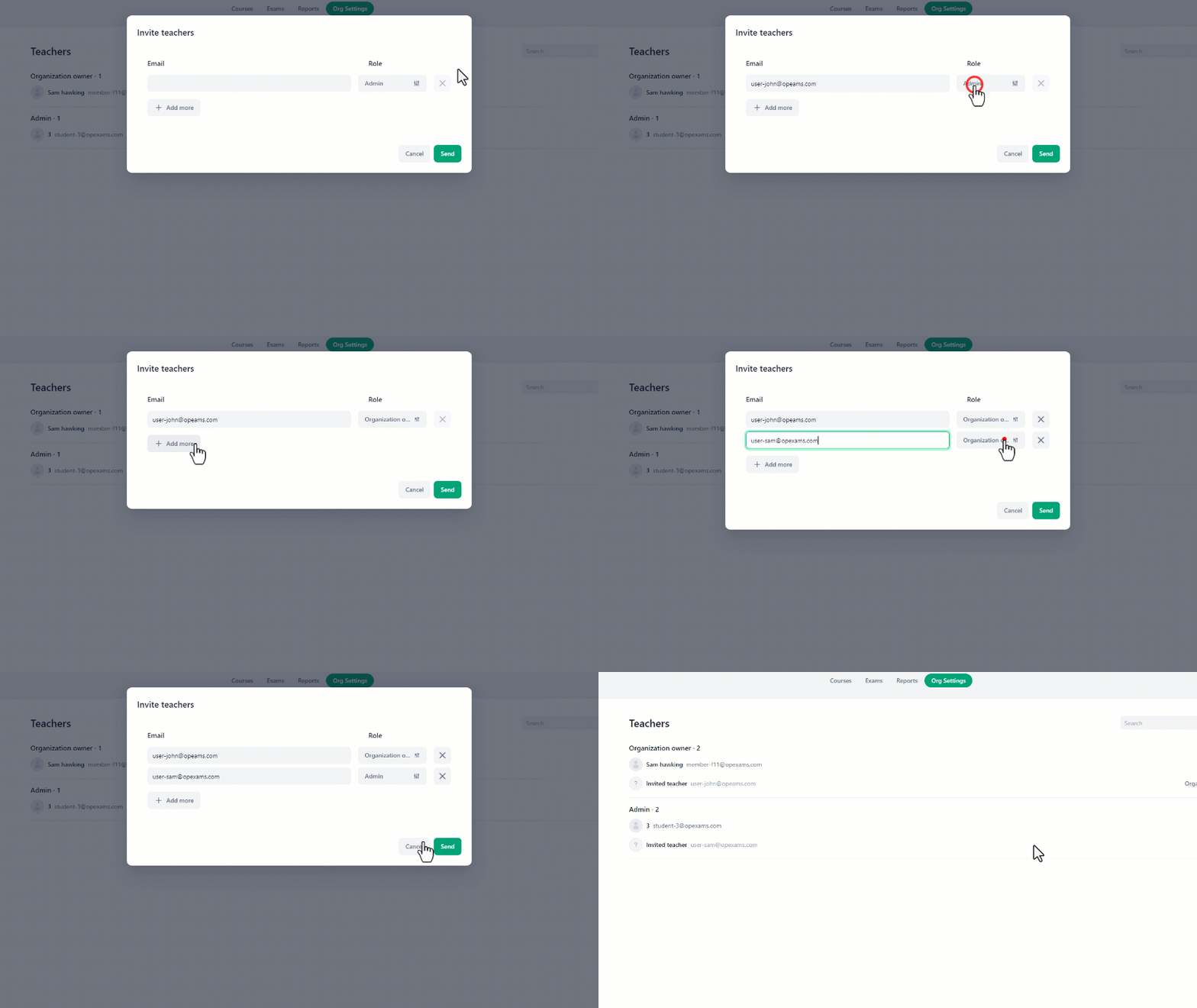
- Click on the “Invite Teachers” button.
- In the invite teachers menu, write the teacher’s email in the textbox and select their role from the role drop-down menu.
- You can add multiple teachers simultaneously by clicking “Add more” to create a new email field.
- fill the emails and assign their roles.
- Then click “Send” to add all teachers.