

Logo
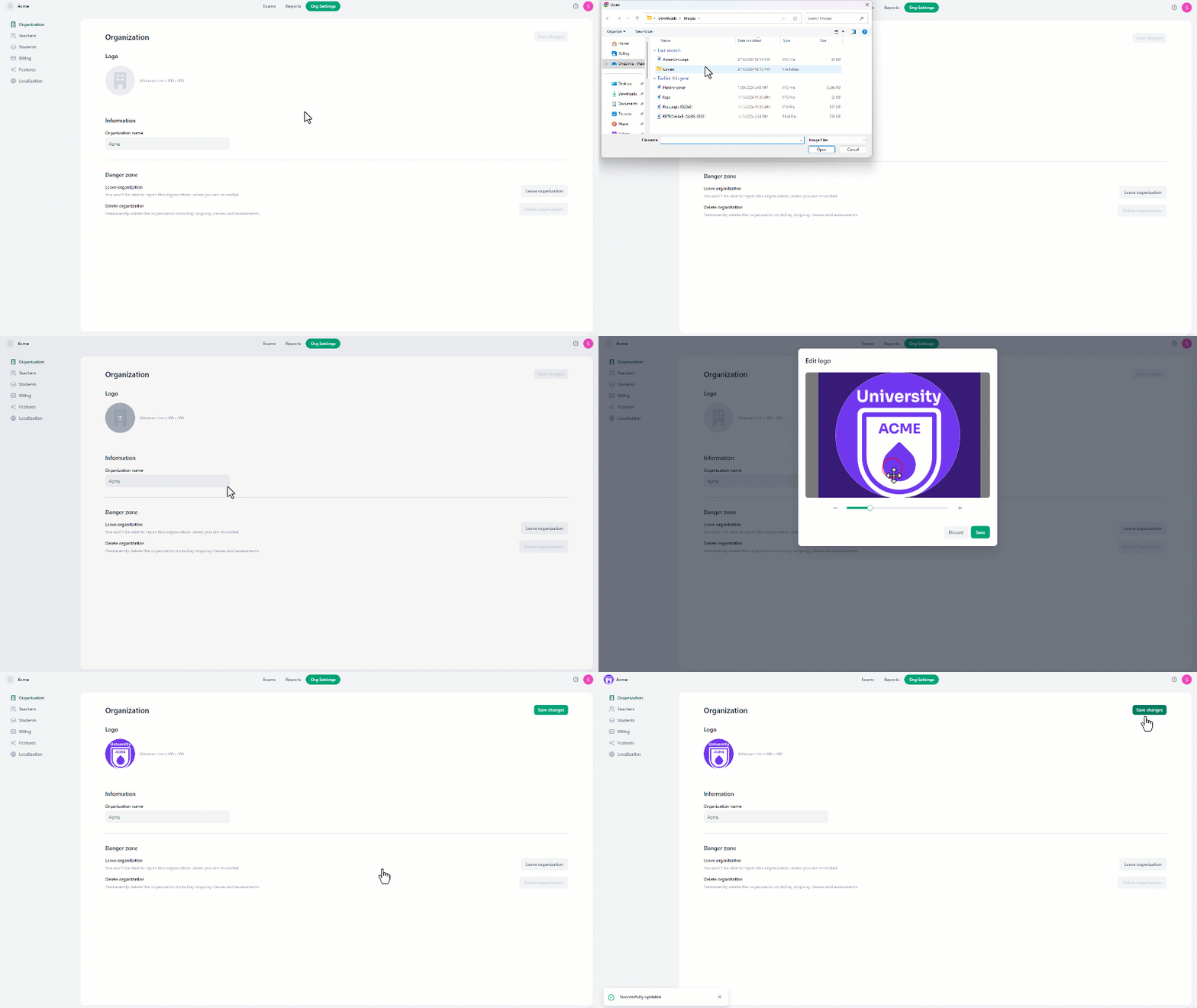
To change the logo:- Hover over and click on the avatar image.
- There, browse and select the desired logo.
- Once selected, an interface will appear which allows adjusting the size and position of the logo.
- After adjusting the image, click “Save” to view it.
- Finally, click on the “Save Changes” button for the system to save the new icon.
Information
To change the organization name:- Click on the current name.
- Adjust the name as needed.
- then click “Save changes” to complete the changes.
