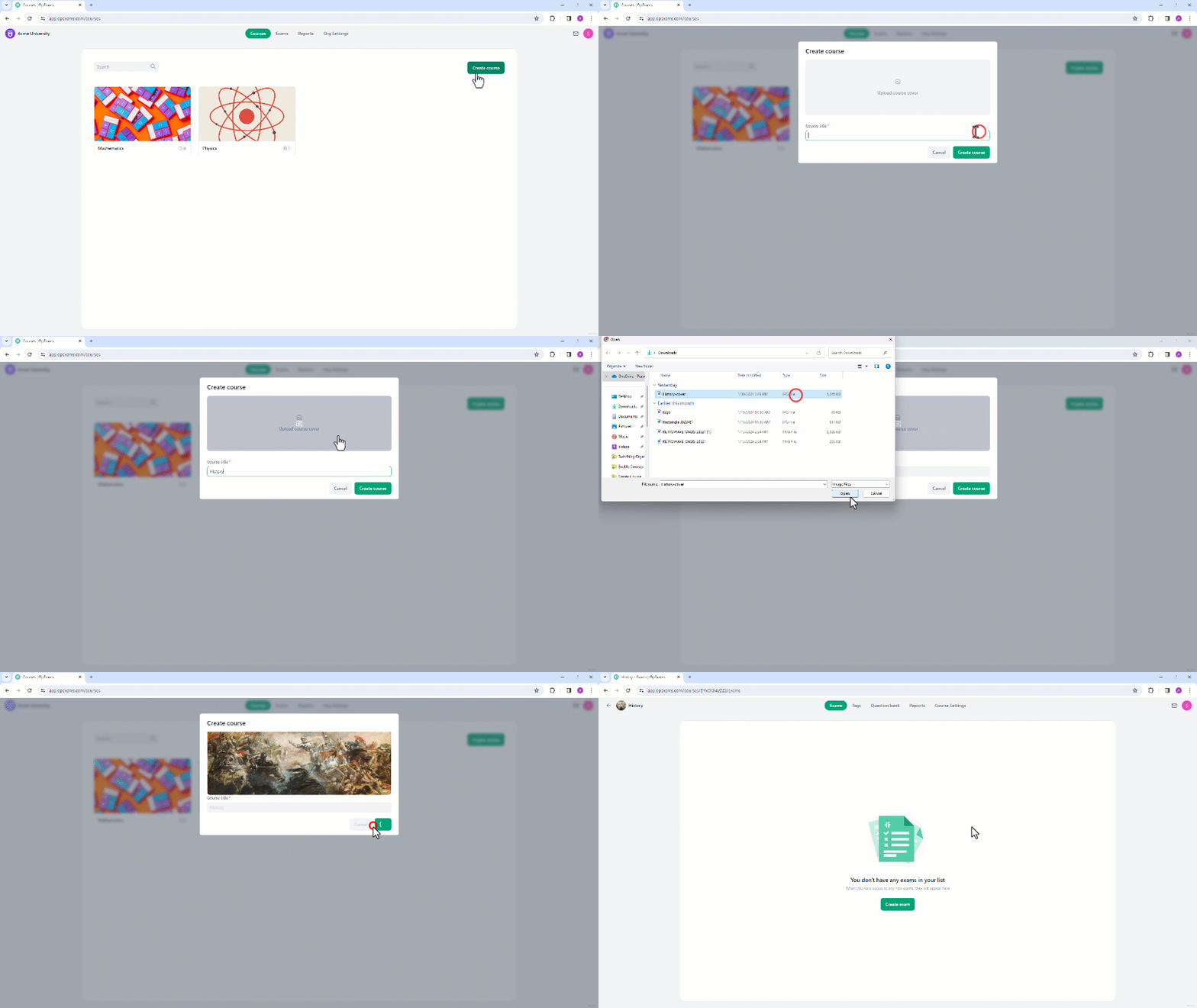

- Navigate to the home page of the organization.
- Click “Create Course”.
- Name the course and select a logo if available.
- Once you’ve chosen a logo, you’ll have the option to adjust its size.
- Click “Save” to save the changes.
- Click on “Create Course” to proceed to the course creation.
- Now, you will be directed to the new course page where you can create a new exam.